Check Point CVE-2026-123039: Root Escalation on CISA KEV
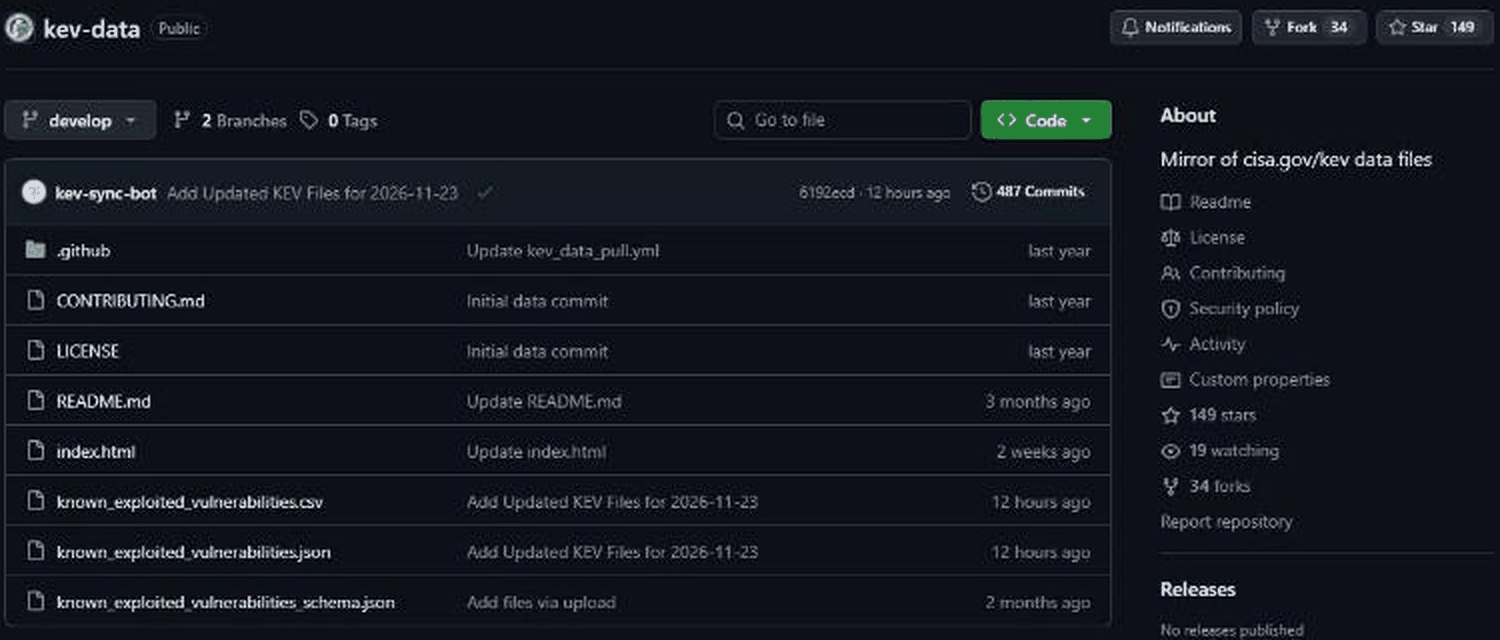
Published November 25, 2026. A news analysis of Check Point Gaia vulnerability CVE-2026-123039, built from Check Point’s security alert sk1000362 (read on Check Point’s support site on November 25, 2026) and CISA’s Known Exploited Vulnerabilities (KEV) data as mirrored on CISA’s GitHub. The screenshot is ours (the CISA data mirror on GitHub). CISA’s own website returned “Access Denied” to our automated browser, so we did not use it. This article contains no affiliate links and we have no commercial relationship with Check Point. ToolReviewHub is produced with the help of an AI assistant (Claude, made by Anthropic). We did not run a Check Point appliance or test the flaw. Descriptions are the vendors’ and CISA’s wording, and numbers marked “ours” are our own arithmetic.
Check Point CVE-2026-123039: the short version
- What it is: a local privilege escalation to root in the Dynamic CLI process of Check Point’s Gaia operating system. The process listens on a local socket that Check Point says is world-writable and does not check who is connecting, so any authenticated local user can make it run commands as root.
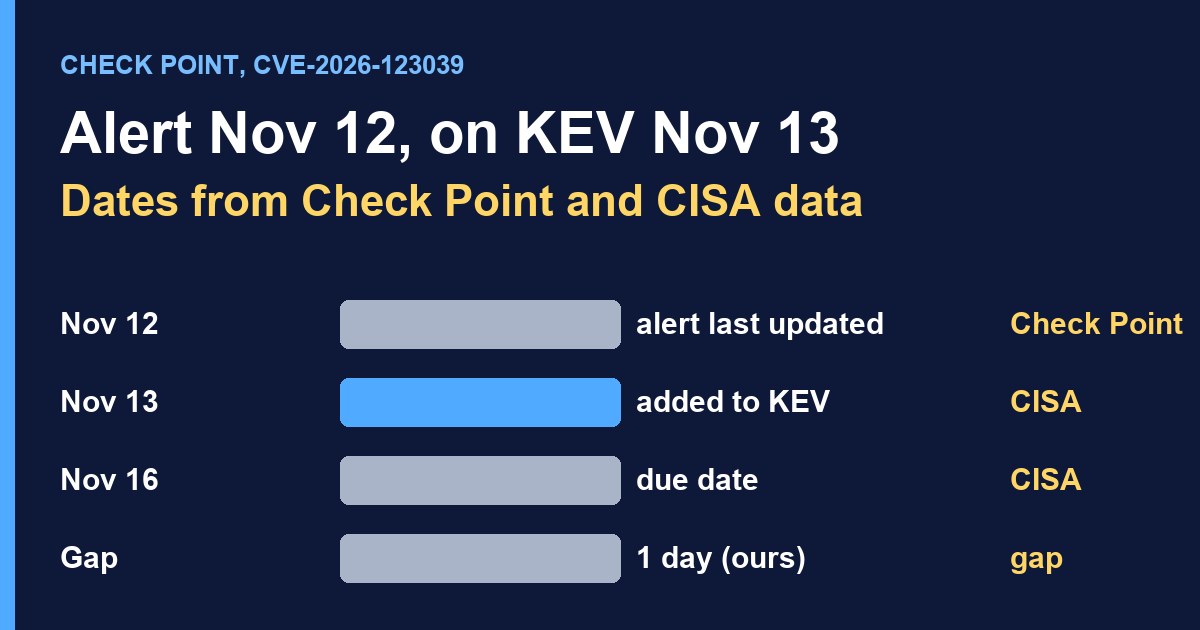
- Severity: Check Point rates the alert High, with a CVSS score of 7.8. The page was last modified on November 12, 2026.
- Affected products: Check Point firewalls and Security Gateways, Security Management Servers, Multi-Domain Security Management Servers, Scalable Platforms and Maestro Orchestrator, on versions R81, R81.10, R81.20, R82, R82.10 and R82.20. Spark Firewalls and Smart-1 Cloud are not affected.
- Exploitation: Check Point says it observed an active exploit against a couple of dozen customers. CISA added the flaw to the KEV catalog on November 13, 2026, with a November 16 due date.
- Workaround available: Check Point describes a way to stop the vulnerable process and keep it from restarting, at the cost of the commands that depend on it.
What the Dynamic CLI is
Check Point’s Gaia is the operating system on its security appliances. Administrators normally reach it through a command-line shell. The “Dynamic CLI” (also called extended CLI) is a feature that exposes certain commands through a background process named dynamic_server. According to the alert, that process runs as root and communicates through a local inter-process socket at /tmp/dynamic_socket. A process that runs with full privileges and accepts instructions from other processes needs to check carefully who is sending them. The alert says this one does not.
A security gateway is a trusted box in the network: it sees traffic, enforces rules and holds keys. Root on such a device is root on a piece of your security perimeter. That is why a “local” flaw is not minor here.
What the vulnerability is
Check Point’s description is short and clear. The socket is created with permissions that let anyone write to it (mode 0777, world-writable). The process does not authenticate the program that connects, and it executes whatever command string it receives with root privileges. Therefore any authenticated local user can run arbitrary commands as root by writing one request to the socket.
The word local matters. The attacker must already be able to run code or a shell on the appliance. That could be a low-privileged administrator account, a service account, or a foothold gained through some other bug. CVSS 7.8 is the typical score for a local flaw with high impact: attack vector local, low complexity, low privileges, high impact on confidentiality, integrity and availability (our reading of the usual vector for such a score; the alert excerpt we read gives only the number). The point is that this flaw turns a limited foothold into total control.
Check Point says it saw an exploit used against a couple of dozen customers. It does not say who the attackers were or how they got the first foothold.
Mitigation and how to look for abuse
The alert describes a mitigation that stops the dynamic_server process and prevents it from restarting. It uses the appliance’s configuration database: one command disables the process and a second command saves the change. Check Point warns that this breaks the Dynamic CLI commands listed in another support article (sk144112), and that you re-enable the process with the matching command when a fix is installed. We are not printing the exact commands here; copy them from Check Point’s page so that you get the current wording.
The alert also gives a way to hunt for abuse. The daemon logs every command it runs to /var/log/dynamicCli.log. Legitimate requests go through a Clish wrapper (Clish is Check Point’s standard shell). Any logged command that did not come through the wrapper could mean that someone wrote straight to the socket and ran a root command. That is a useful, specific indicator, and it works only if the log file survived.
The excerpt we read did not list fixed builds or hotfix names. Check the alert directly for the current list before you decide between the mitigation and an upgrade.
Affected and unaffected products
| Item | What Check Point says |
|---|---|
| Affected products | Firewalls, Security Gateways, Security Management Server, Multi-Domain Security Management Server and Multi-Domain Log Server, Scalable Platforms, Maestro Orchestrator |
| Affected versions | R81 (end of support), R81.10 (end of support), R81.20, R82, R82.10, R82.20 |
| Not affected | Spark Firewalls, Smart-1 Cloud |
| Severity | High, CVSS 7.8 |
| Alert last modified | November 12, 2026 |
Timeline: a day to the KEV list
| Date (2026) | Event | Source |
|---|---|---|
| November 12 | Check Point security alert sk1000362 last modified | Check Point |
| November 13 | CISA adds CVE-2026-123039 to the KEV catalog | CISA KEV data |
| November 16 | KEV due date for U.S. federal civilian agencies | CISA KEV data |
We do not know when Check Point first published the alert; the page shows only the last-modified date. So the one-day gap (ours) between the alert’s last update and the KEV listing is not necessarily the full story. What we can say is that the due date was three days after listing, which fits the pattern we described in our KEV analysis, and that the date has already passed.
What to do: a practical checklist
- Inventory your Check Point devices and note each model and software version. Remember that R81 and R81.10 are end of support, so fixes for them may not exist.
- Read sk1000362 directly and follow its current guidance on fixed builds and the mitigation. Do not rely on a summary, including this one.
- Apply the mitigation where you cannot patch quickly, and note that it disables Dynamic CLI commands. Test one device first if you use those commands in automation.
- Check /var/log/dynamicCli.log for commands that did not come through the Clish wrapper, and keep a copy of the log before you change anything.
- Restrict who has shell access on the appliances. Because the flaw needs a local account, every account with shell access matters. Remove unused ones and review their authentication.
- Treat a hit as a full compromise. If you find unwrapped root commands, assume the device’s keys and configuration were exposed, and follow your incident process for security gateways.
- Re-enable the process only after patching, using the command Check Point provides.
What we could not confirm
- The fixed builds or hotfix names: the part of the alert we read gives a mitigation and a log indicator, not a patch table.
- When Check Point first published the alert: the page shows its last-modified date, November 12, 2026.
- How attackers got a first foothold on the appliances before using the flaw, and who the attackers were.
- The exact CVSS vector: the alert shows the 7.8 score, and we have not seen a published vector string.
- How many devices are affected: Check Point says a couple of dozen customers saw an exploit, which is not a count of vulnerable devices.
- CISA’s own catalog page, which we could not open; the KEV facts come from CISA’s GitHub mirror (catalog version 2026.11.23).
Frequently asked questions
What is CVE-2026-123039?
A local privilege escalation in the Dynamic CLI process of Check Point Gaia: a world-writable local socket lets any authenticated local user run commands as root.
Can it be exploited remotely?
Not on its own. The attacker needs local access to the appliance first. Check Point says it saw active exploitation against a couple of dozen customers.
Which products are affected?
Check Point firewalls, Security Gateways, management servers, Multi-Domain servers, Scalable Platforms and Maestro Orchestrator on R81 to R82.20. Spark Firewalls and Smart-1 Cloud are not affected.
Is there a workaround?
Yes. Check Point describes stopping the dynamic_server process and preventing it from restarting, which breaks the Dynamic CLI commands that depend on it.
What is the KEV deadline?
November 16, 2026 for U.S. federal civilian agencies. For everyone else it signals urgency and is not a legal deadline.
Method: details come from Check Point’s security alert sk1000362 (last modified November 12, 2026) and CISA KEV data (catalog version 2026.11.23), read on November 25, 2026. For how we research, see How We Review Tools.