Windows Server 2028 Preview Ships Hardened by Default: What Microsoft Says Changes and What Admins Should Test
Published November 21, 2026. A news analysis built from three Microsoft pages: the Windows Server News and Best Practices blog post “Announcing Hardened Server Core for Windows Server Insiders” (November 17, 2026), the Windows Server Insider announcement for preview build 29706 (November 17, 2026), and the Microsoft Learn page “Windows Server 2028 Preview: New features”, plus our own screenshots of each. This article contains no affiliate links and we have no commercial relationship with Microsoft or any host named in it. We did not install the preview or run any of the commands described; the example output shown is Microsoft’s, not ours. Calculations marked “ours” are our own arithmetic.
The short version
- What Microsoft announced: in Windows Server Insider Preview build 29706, released on November 17, 2026, Server Core installs “hardened”, with “hundreds of security settings” on from first boot, aligned with CIS and DISA STIG benchmarks. The preview is now branded Windows Server 2028.
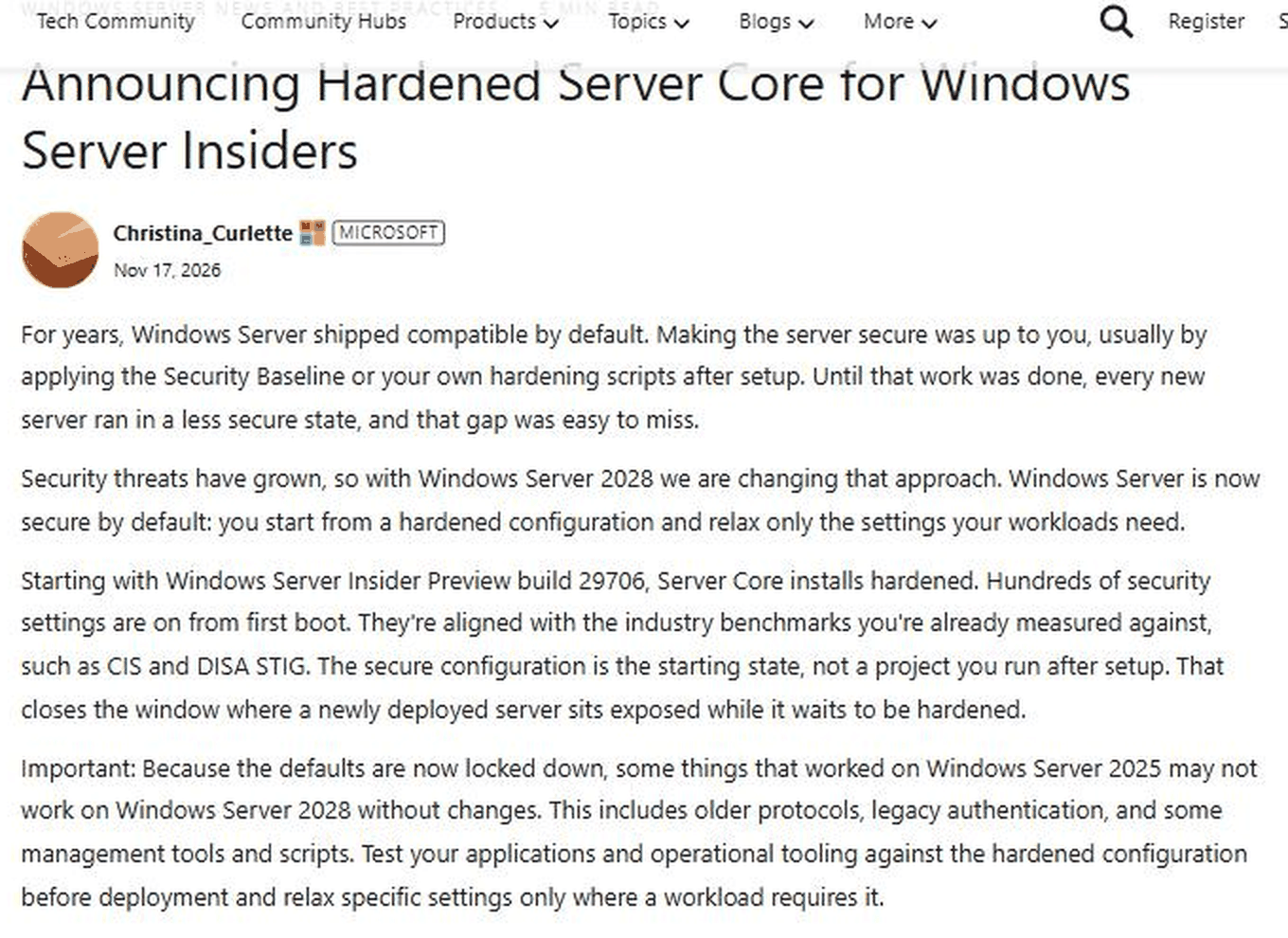
- The shift: Microsoft says Windows Server used to ship “compatible by default” and that it is now “secure by default”: you start hardened and relax only what a workload needs.
- The catch, in Microsoft’s own words: things that worked on Windows Server 2025 may not work, including older protocols, legacy authentication and some management tools and scripts.
- Limits of the preview: it applies to new Server Core installations only, it is not supported in production, it expires on October 15, 2027, and Microsoft lists known issues. We found no general-availability date in the pages we read.
- A tension worth noticing: the hardened defaults include hybrid post-quantum key exchange, while the same build lists a known issue where negotiating those hybrid groups can crash the LSASS service on a TLS server.
What Microsoft announced
The blog post is by the Windows Server team and dated November 17, 2026. It opens with a diagnosis: for years Windows Server shipped compatible by default, and making it secure was left to the administrator, usually by applying the Security Baseline or hardening scripts after setup. Until that work was done, every new server ran in a less secure state, and the gap was easy to miss. With Windows Server 2028, Microsoft says, it is changing that approach.
The companion announcement for build 29706 explains where this sits. It is a preview of the next Long-Term Servicing Channel release, with Desktop Experience and Server Core options for Datacenter and Standard editions, plus Azure Edition for VM evaluation only. The branding of the preview was updated to Windows Server 2028 in this build. The preview software is “pre-release”, provided as-is and not supported in production environments, and it expires on October 15, 2027.
What is hardened, layer by layer
The blog post lists six groups of hardened settings, and the Learn page lists seven layers (it separates remote access and management from observability). Learn says the defaults help protect against credential theft, lateral movement and protocol downgrade attacks.
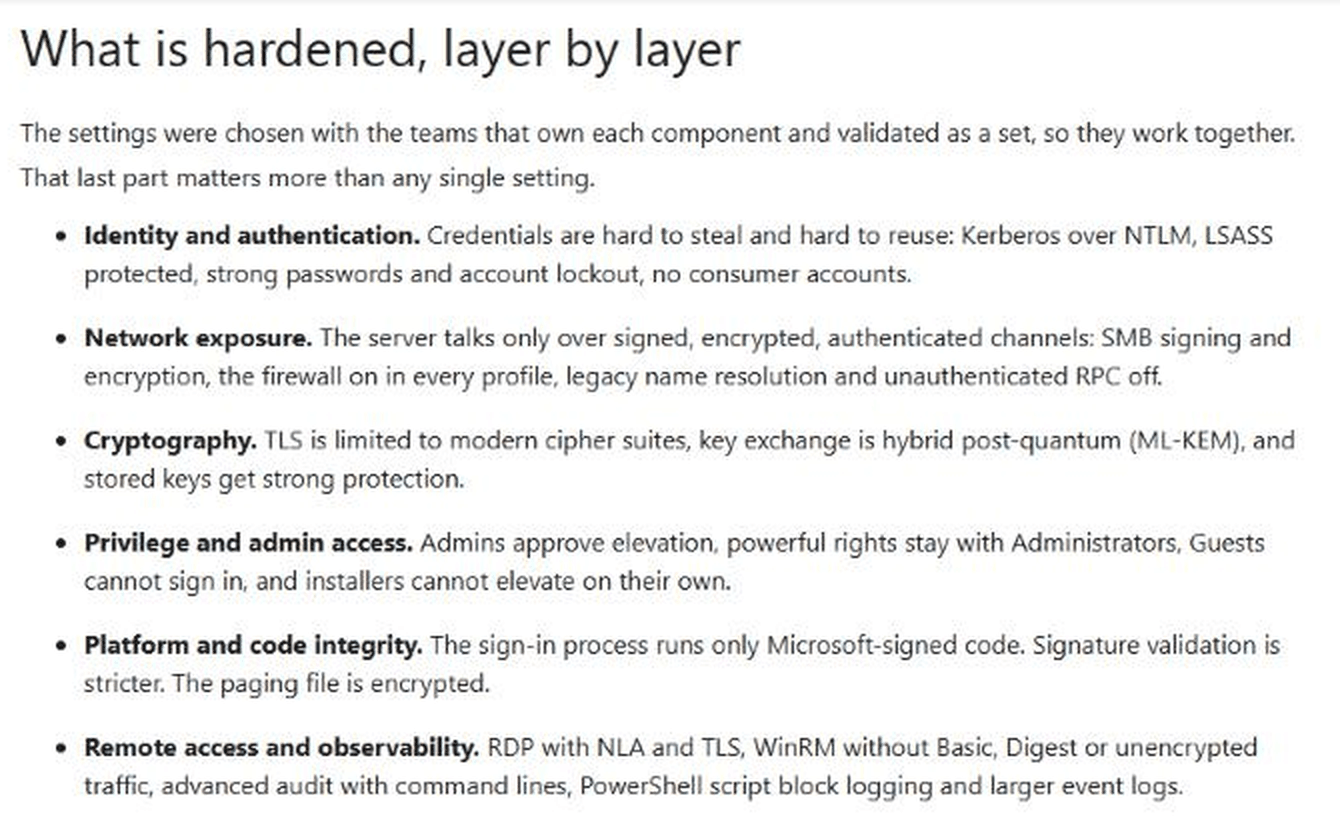
| Layer | What Microsoft says is on by default | What it may affect (our reading) |
|---|---|---|
| Identity and authentication | Kerberos over NTLM, LSASS protected, strong passwords and account lockout, no consumer accounts. | Applications that depend on NTLM or weak passwords. |
| Network exposure | SMB signing and encryption, firewall on in every profile, legacy name resolution and unauthenticated RPC off. | Old file clients, devices and discovery methods that cannot sign or encrypt. |
| Cryptography | TLS limited to modern cipher suites, hybrid post-quantum key exchange (ML-KEM), stored keys strongly protected. | Old TLS clients; see the known issue below. |
| Privilege and admin access | Admins approve elevation, powerful rights stay with Administrators, Guests cannot sign in, installers cannot elevate on their own. | Unattended installers and scripts that assume elevation. |
| Platform and code integrity | The sign-in process runs only Microsoft-signed code, signature validation is stricter, the paging file is encrypted. | Third-party credential or sign-in components that are not Microsoft-signed. |
| Remote access and observability | RDP with NLA and TLS; WinRM without Basic, Digest or unencrypted traffic; advanced audit with command lines; PowerShell script block logging; larger event logs. | Old RDP clients, management tools that use Basic over WinRM, and log volume. |
The third column is our inference from the settings Microsoft lists, not a statement from Microsoft. Microsoft’s own warning is broader: older protocols, legacy authentication and some management tools and scripts.
How the defaults are enforced, and how you check them
Two design choices matter to administrators. First, the hardened values are delivered as policy, in the policy hive under HKLM\SOFTWARE\Policies wherever a component supports one. Microsoft explains that policy wins over local configuration, so a cmdlet, script or installer that writes local settings cannot silently weaken a hardened default. Second, because the defaults are built into the image, gpresult and RSOP report these settings as “Not Configured”, which Microsoft calls expected.
The post introduces an in-box PowerShell module for checking and changing the state. Get-MSHardenedPolicyScore scores the server per category and overall. Restore-MSHardenedPolicy removes the hardened values for a category or for the whole server, so standard behaviour returns. Set-MSHardenedPolicy re-applies them. Both write cmdlets support -WhatIf. Microsoft adds that once OSConfig, Group Policy or another tool manages the server, you should use the in-box tool for scoring only, because applying values with both can put them in conflict.
Microsoft’s example output scores a test server at 191 of 237 checks, an “Overall” score of 80.59. We checked the division: 191 divided by 237 is 0.8059, so the figure is right (our arithmetic). The same sample shows categories such as SMB and file sharing at 18 of 19 (94.73) and the Windows firewall at 30 of 30. Microsoft says to expect a score below 100 percent on this build, because some settings, such as TLS cipher suites and ECC curves, are not measured yet, and the tool and cmdlet names may change in a later preview.
What is not finished
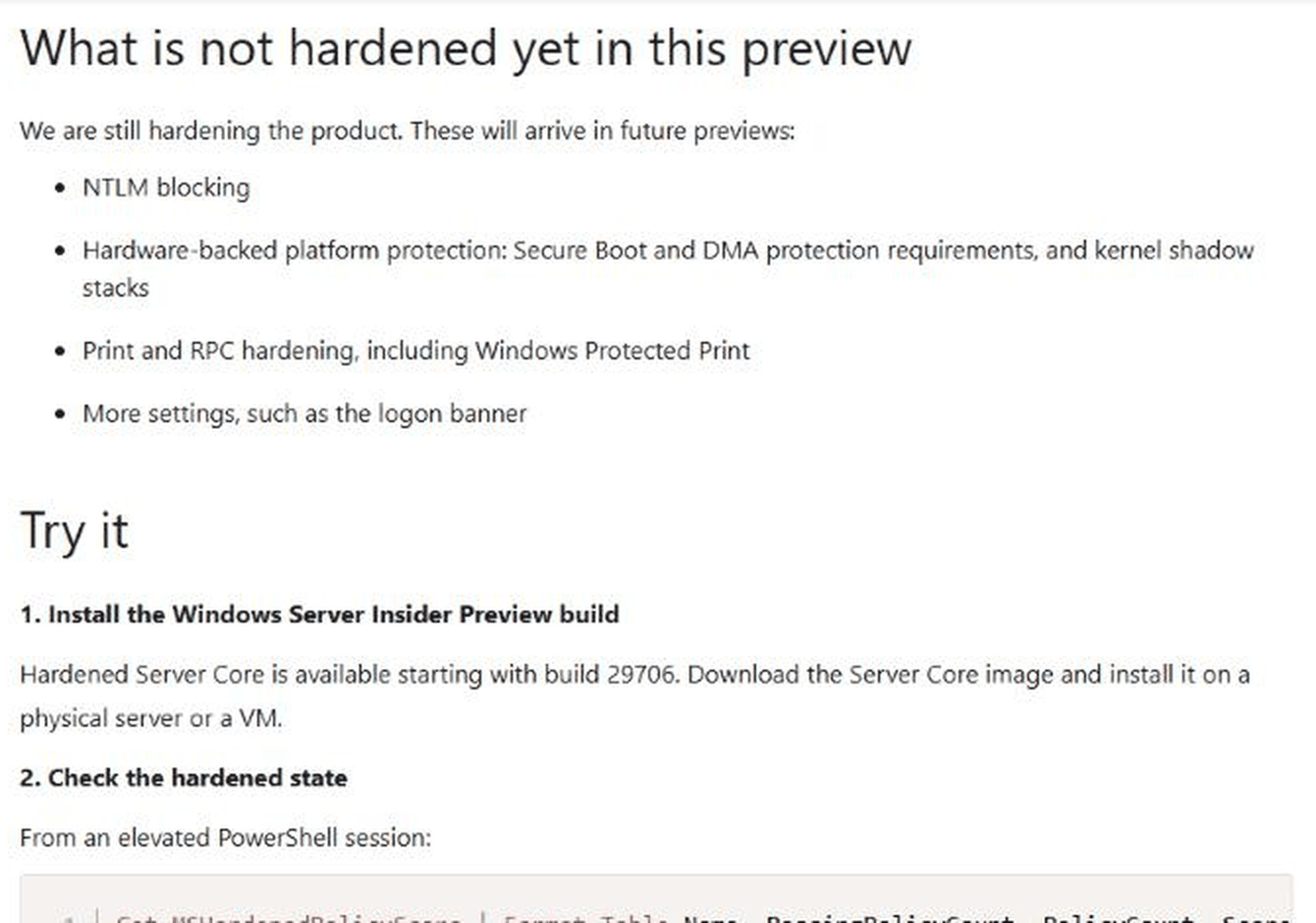
The post lists what will arrive in later previews: NTLM blocking; hardware-backed platform protection, meaning Secure Boot and DMA protection requirements and kernel shadow stacks; print and RPC hardening, including Windows Protected Print; and more settings such as the logon banner. NTLM blocking is the most consequential for legacy environments: the preview prefers Kerberos but, per this list, does not block NTLM yet, so applications that still rely on NTLM may not show their problems until it arrives (our reading).
The known issue that sits next to the hardening
The build 29706 announcement lists known issues. The first is a race condition in the TLS hybrid key exchange implementation that may crash the LSASS service when hybrid groups are negotiated by a TLS server. Until a fix ships, Microsoft says to disable the hybrid groups (X25519_MLKEM768, SecP256r1_MLKEM768 and SecP384r1_MLKEM1024) with TLS cmdlets or Group Policy.
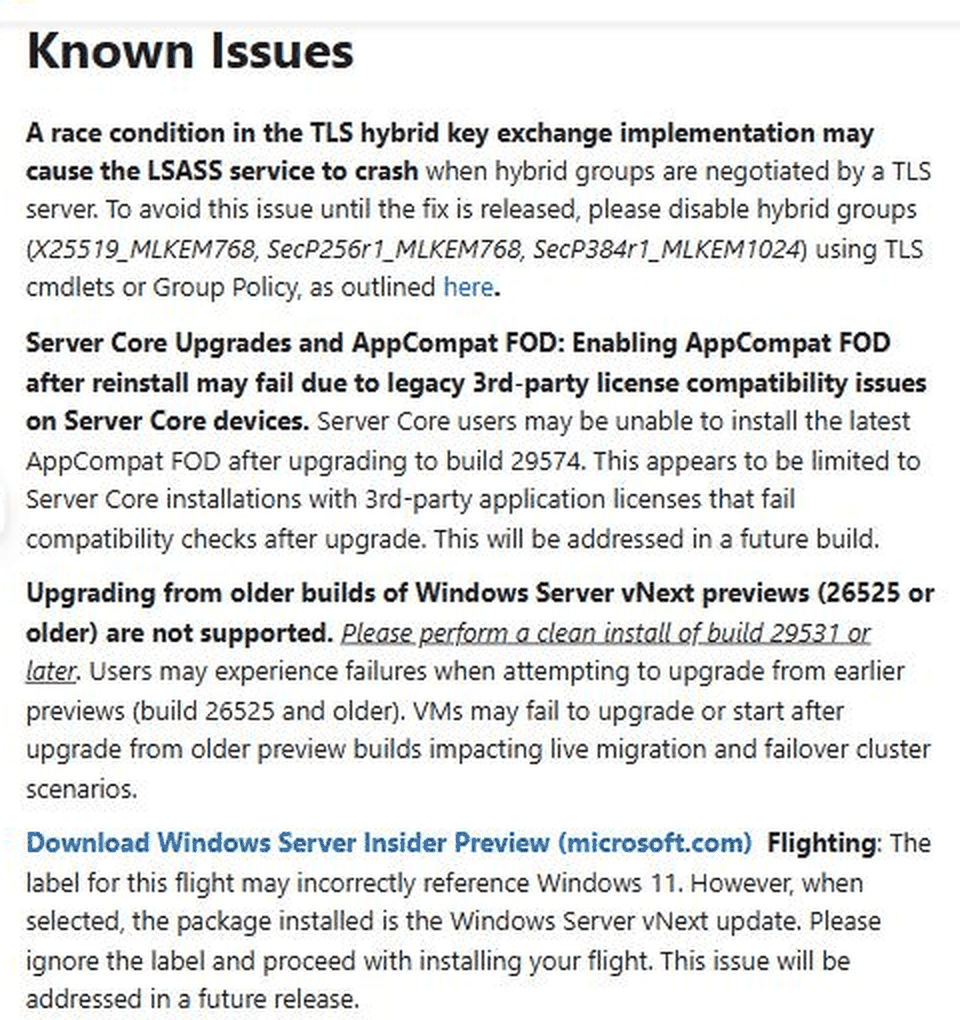
Compare that with the hardening post, which lists hybrid post-quantum key exchange (ML-KEM) under cryptography. The pages we read do not say whether the hardened default enables those groups on the server side, so we cannot tell whether a new hardened install is exposed to the crash by default. Anyone testing the preview as a TLS server should check which groups are enabled and read Microsoft’s workaround. Other listed issues concern upgrades: upgrading from preview builds 26525 and older is not supported, and Microsoft asks testers to clean-install build 29531 or later.
Scope: what the pages say about who gets it
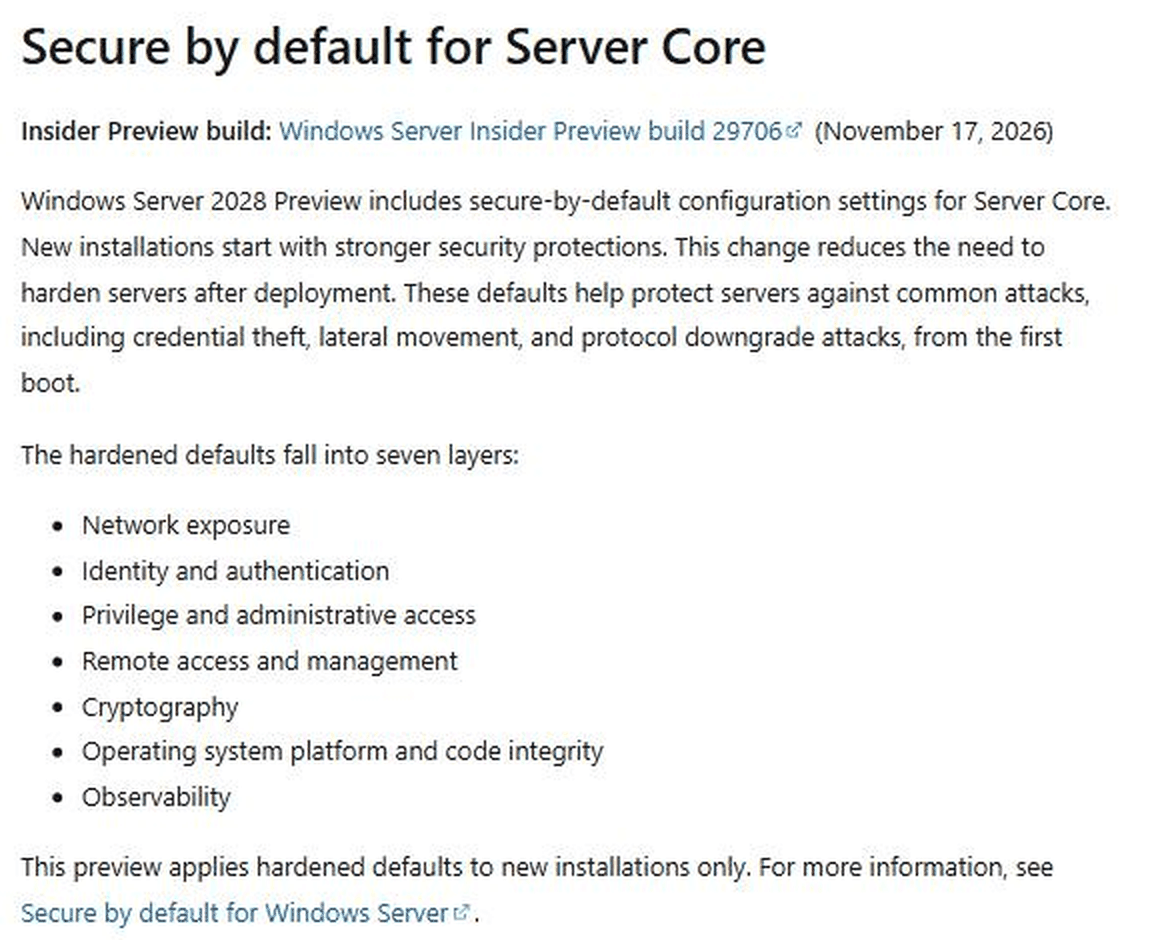
The Learn page describes the secure-by-default settings for Server Core and says the preview applies hardened defaults to new installations only. The pages we read do not say that the Desktop Experience option gets the same defaults, and they say nothing about upgrading an existing server. Taken together, existing servers are not changed by this, and the effect shows up only when you install new Server Core machines.
The Learn page lists other features in the preview, which show where the product is heading: PowerShell 7 alongside Windows PowerShell 5.1; an SMB Policy Controller that applies and reconciles share settings; joining Microsoft Entra ID and optional Microsoft Intune enrollment, which is off by default and meant for non-production evaluation; Trusted Launch for Generation 2 virtual machines, with listed limits such as no moving a VM to another server and no failover clusters; and Quick Machine Recovery, which Microsoft says is also available for Windows Server 2025 from the October 2026 security update.
What to check, if you run or rent Windows servers
- Keep it in a lab. Microsoft calls the preview pre-release, as-is and unsupported in production. Test in a virtual machine, not on a server that matters.
- List what depends on legacy behaviour. NTLM, WinRM with Basic authentication, old RDP clients, legacy name resolution and unsigned SMB are the areas the hardened defaults target.
- Clean-install the Server Core build and score it. Run Get-MSHardenedPolicyScore and keep the output as your baseline. Treat the module names as temporary, as Microsoft does.
- Run your real applications and tooling. Microsoft asks for exactly this. Use -WhatIf first, restore only the category a workload needs and write down each relaxation and why.
- Choose one manager. If you use OSConfig or Group Policy, do not also change values with the in-box restore and apply cmdlets.
- If you test TLS services, read the known issue and Microsoft’s workaround about the hybrid groups.
- If you rent a Windows VPS or dedicated server, ask your provider about its plans for Windows Server 2028 only once a release date exists. Nothing in the pages we read gives one.
- Send feedback. Microsoft asks which setting, which application and what you changed, through the Insider forum, or the Technology Adoption Program for direct work.
What we could not confirm
- That the hardened defaults work as described. We did not install the preview or run any command.
- A general-availability date, pricing or licensing for Windows Server 2028. The pages we read give none.
- Whether the hardened default enables the hybrid TLS groups, and so whether the LSASS issue affects default installs.
- Whether the Desktop Experience option receives any of the hardened defaults.
- Which of the hardened settings will break any particular application. The third column of our table is inference.
- Independent coverage. We relied on Microsoft’s own pages; other outlets report on the preview, but we did not read them.
Frequently asked questions
What is Windows Server 2028?
It is the new branding, introduced in build 29706 on November 17, 2026, for the next Long-Term Servicing Channel release of Windows Server, which is available as a preview for Windows Server Insiders.
What does “hardened Server Core” mean?
According to Microsoft, new Server Core installs start with hundreds of security settings on from first boot, aligned with CIS and DISA STIG, instead of the administrator hardening the server afterwards.
Will it break my existing applications?
Microsoft warns it may: older protocols, legacy authentication and some management tools and scripts that worked on Windows Server 2025 may need changes. It asks testers to check their applications against the hardened configuration.
Can I use it in production?
No. Microsoft describes the preview as pre-release and not supported in production, and says it expires on October 15, 2027.
When will Windows Server 2028 be released?
The pages we read do not give a date.
Where are the sources?
Microsoft’s Tech Community blog post “Announcing Hardened Server Core for Windows Server Insiders”, the build 29706 announcement, and Microsoft Learn’s “Windows Server 2028 Preview: New features”. All screenshots are ours, taken on November 21, 2026.