ZigZag: Free Open-Source Embroidery App for Brother Skitch, What We Verified
Updated November 13, 2026. A news analysis built from the GitHub repository simpsoka/zigzag (its README and public repository data), the ZigZag project website, Brother USA’s product page for the Skitch PP1 embroidery machine, the Hacker News listing, and our own screenshots. Disclosure: this story mentions Claude Code and Claude Desktop, products of Anthropic, and the research and drafting tools we use for these articles include Claude, an AI model made by Anthropic. We rely on the project’s own pages and Brother’s own page, quote only short phrases, and label every number we compute as ours. We did not install or run ZigZag and we do not own an embroidery machine. This is not legal, warranty or purchasing advice.
The short version
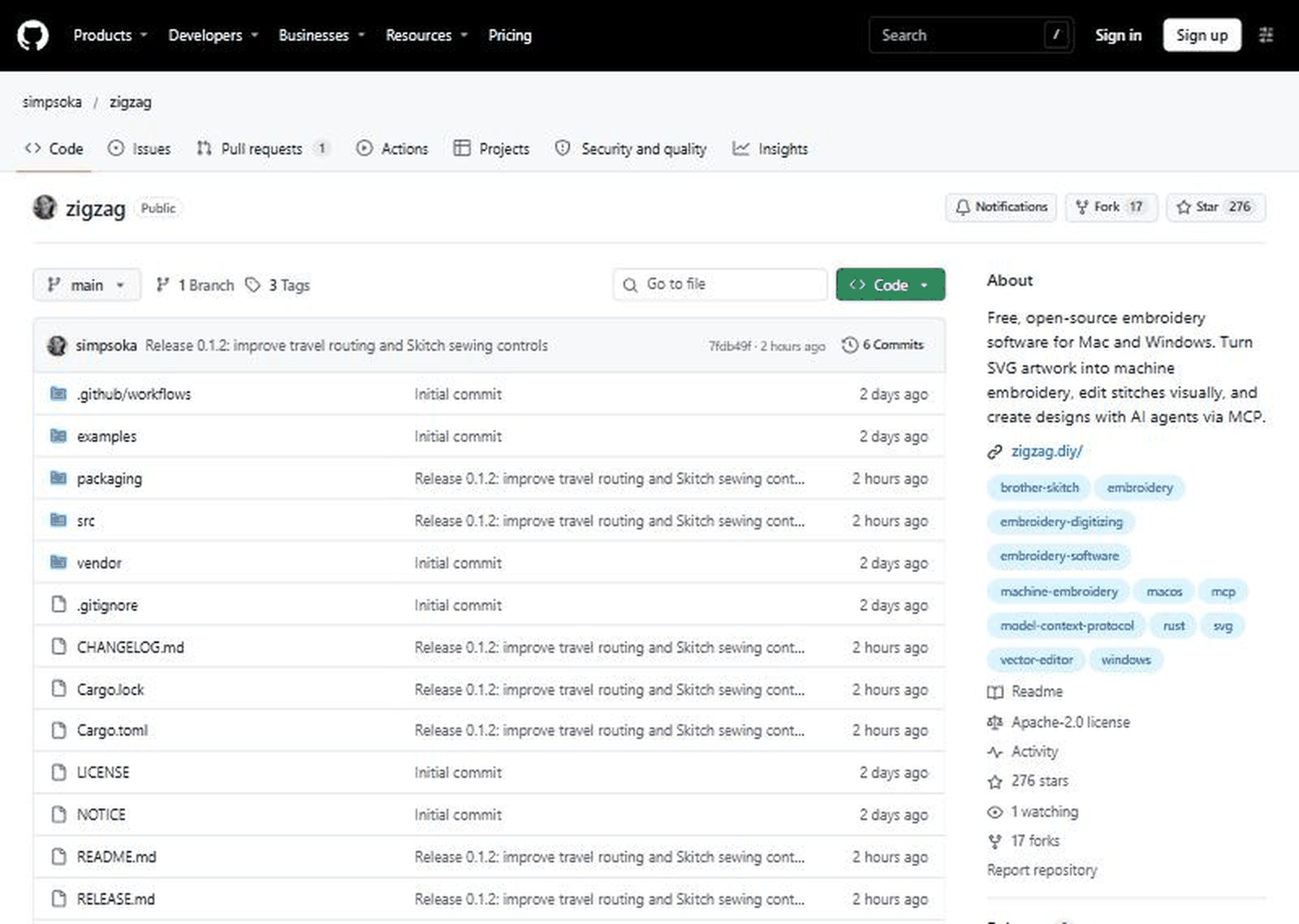
On November 12, 2026, a developer posted “Show HN: My $300 embroidery machine needed a subscription, so I built my own app”. The link goes to simpsoka/zigzag, a free, open-source embroidery digitizing editor for Mac and Windows, written in Rust and licensed under Apache-2.0. According to its README it turns SVG artwork into stitches, lets you edit them visually, exports common embroidery file formats and can send a design straight to a Brother Skitch (PP1) machine over Bluetooth. It also runs a small local server so AI agents, including Claude Code and Codex, can create and edit designs through the Model Context Protocol (MCP).
The post reached 365 points and 145 comments when we checked, and the repository had 276 stars, about two weeks after it was created. The story is a useful case study for anyone who owns hardware that depends on a manufacturer’s app: what a replacement app can do, what it cannot promise, and where the risks are. It is also a case where the headline claim, that the machine “needed a subscription”, is the author’s statement that we could not confirm on Brother’s own page.
Timeline
- October 30, 2026, 01:53 UTC: the repository is created (GitHub’s public data).
- November 11, 2026: releases v0.1.0 and v0.1.1 are published within about 40 minutes of each other (GitHub’s data lists v0.1.1 at 01:17 UTC and v0.1.0 at 01:55 UTC, which we cannot explain).
- November 12, 2026, 17:02 UTC: the Show HN post appears. The submission text is a link to the author’s post on X.
- November 13, 2026, about 01:00 UTC: release v0.1.2, titled “improve travel routing and Skitch sewing controls”, is published. When we looked, the repository showed 6 commits, 3 tags and 1 open pull request.
What the repository says
The README describes ZigZag as “a visual embroidery editor built in Rust for performance”. You import or draw vector artwork, the program generates stitches, and you export a machine file. The README names PES, DST, EXP, JEF and VP3 in its introduction and also lists PEC, a Skitch-specific PEN format and an HTML worksheet in the usage section. It reads PES, PEC, DST, EXP and JEF files as well, so you can open an existing design and resize it. A command-line tool does the same conversions, for example zigzag convert logo.svg -o logo.pes.
It lists many stitch types: fill (tatami), satin, running stitch, contour, blanket, appliqué, manual, meander, ripple, cross-stitch and tartan. It claims overlap removal, routing that keeps travel stitches out of sight, fabric presets (standard, thin cotton cap, structured cap, knit), digitizing checks such as narrow fills and hoop fit, thread palettes for Brother and Janome, and an “Image Trace” feature that turns a PNG or JPEG logo into stitchable shapes. A table compares it with Ink/Stitch and with Wilcom Hatch. The README is candid about gaps: gradient fill, guided fill, redwork, cutwork, pre-digitized fonts, more than 60 thread brands and PDF print are marked “not yet” against Ink/Stitch, and built-in embroidery fonts, monogramming, multi-hooping, motif fills and 3D foam are marked “not yet” against Hatch.
The Brother Skitch connection
The most unusual feature is direct upload to a Brother Skitch (PP1) over Bluetooth. The README says the machine’s protocol “was reverse-engineered” and tells users to avoid firmware updates. It says the Skitch “talks to one app at a time”, so Brother’s Artspira app must be closed first, and that on a Mac the machine never appears in Bluetooth settings because it is a Bluetooth LE device that pairs when ZigZag connects. A sewing window walks through connect, home, send, a trial run, sew and done, and the README says it was “tested on a real Brother Skitch (PP1)”. It also describes some limits: thread tension is the dial on the machine, speed is fixed at about 400 stitches a minute, and the machine cannot be paused over Bluetooth except with its own button.
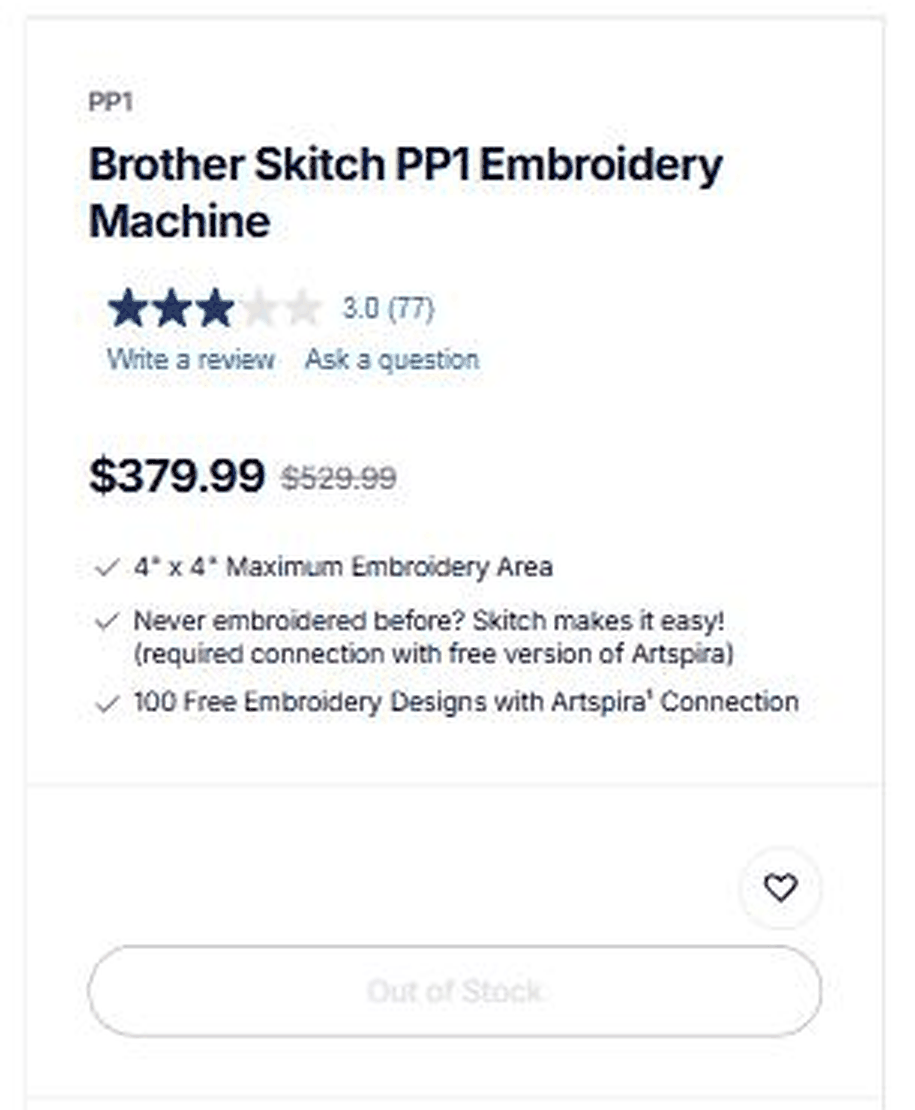
Brother’s page for the Skitch PP1 gives the other side. It lists the machine at $379.99, with $529.99 shown struck through, a rating of 3.0 stars from 77 reviews, a 4 by 4 inch (100 mm) maximum embroidery area, and the line “required connection with free version of Artspira”. It promises 100 free embroidery designs with an Artspira connection, describes Artspira as “the free Artspira mobile app” connected wirelessly, and showed the product as out of stock when we looked. Nothing on that page describes a paid subscription, so we cannot confirm or deny the title’s claim from Brother’s own words.
The AI agent part
ZigZag runs an MCP server at a localhost address, which the README says is “localhost only, Origin-checked”. It lists tools for reading and editing the design (add SVG artwork, set object properties, move, duplicate, add text, render a preview, check the design, export, send to the Skitch and read machine status) and says every call is one undo step. An “Agent” panel runs Claude Code or Codex in the background, using the command you have already signed in to, and the README says it “can only use the design tools (no shell, no file edits)”. The README shows claude mcp add --transport http zigzag http://127.0.0.1:7878/mcp for Claude Code and a configuration snippet for Claude Desktop. It gives an example prompt: ask for a 50 mm round badge with mountains and a sun for a thin cotton cap, check it, and show the preview.
One Hacker News commenter guessed that an AI assistant did much of the coding. The README does not say how the project was written and we do not know, so we make no claim either way.
Our own arithmetic (labelled as ours)
These figures are our own calculations from public numbers. They are not statistics published by the project or by Brother.
| What we computed | Result (ours) |
|---|---|
| Stars per day: 276 stars over about 14.1 days (Oct 30 01:53 UTC to our check on Nov 13) | About 19.6 per day on average, though stars rarely arrive evenly |
| Forks as a share of stars: 17 / 276 | About 6.2 percent |
| Asset downloads listed by GitHub across v0.1.0, v0.1.1 and v0.1.2: DMG files 13 + 103 + 63, Windows zips 2 + 39 | 179 Mac and 41 Windows, about 220 in total. The DMG is uploaded under two names per release, so these are file downloads, not users |
| Downloads against stars: 220 / 276 | About 0.8 downloads per star |
| Tests the README lists: 136 library tests plus 153 editor and MCP tests | 289 tests, before 222 more from the vendored Image Trace code |
| Brother’s markdown: 379.99 against 529.99 | About 28.3 percent below the struck-through price |
| Title price against Brother’s current price: 379.99 against 300 | The page price is about 26.7 percent higher than the title’s figure. We do not know when, where or at what price the author bought the machine |
Claimed versus what we could verify
| Claim | Source | Our status |
|---|---|---|
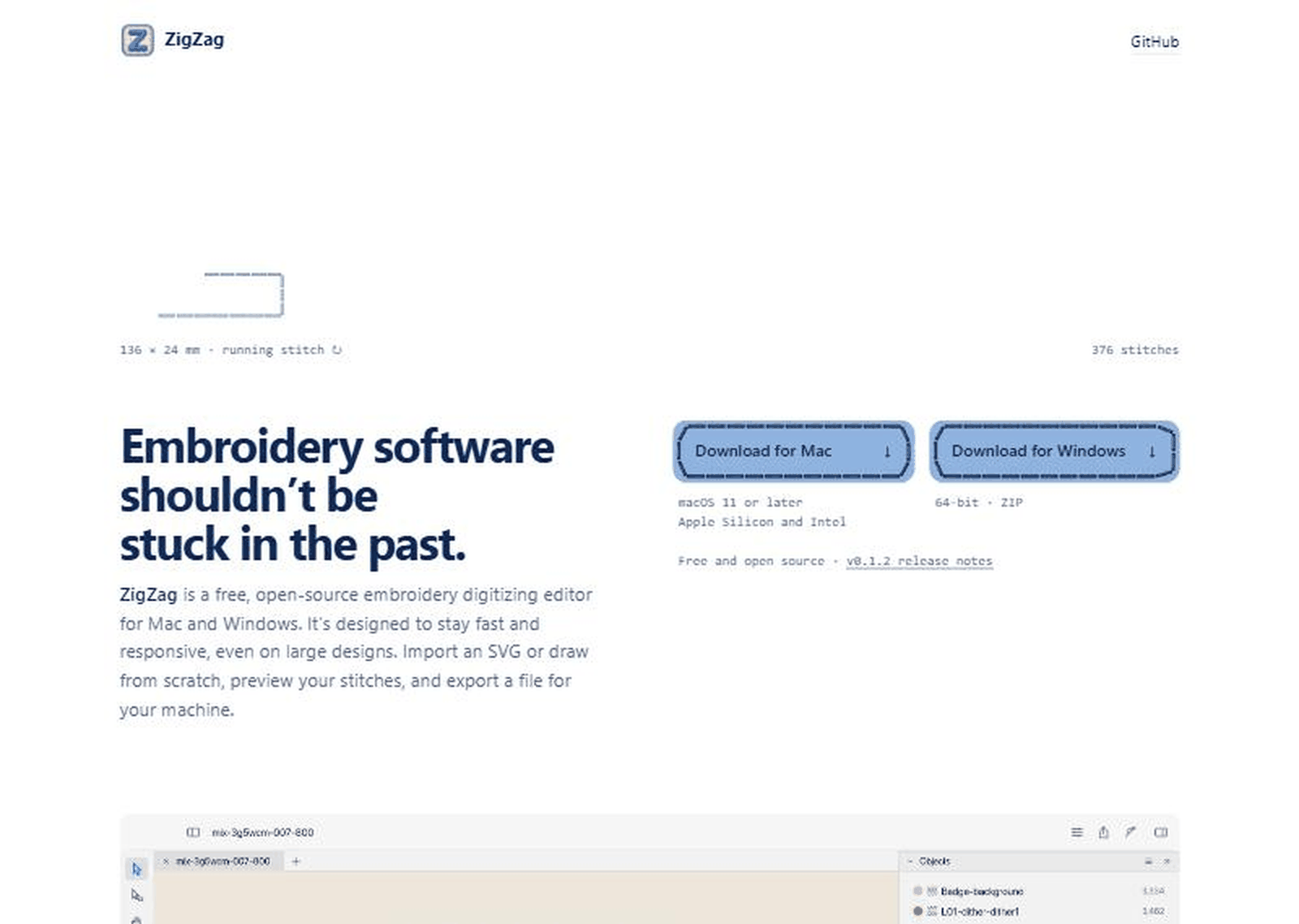
| ZigZag is free, open source (Apache-2.0), written in Rust, for Mac and Windows | README, repository sidebar, project site | Verified by reading the pages and the screenshots above |
| It exports PES, DST, EXP, JEF and VP3 and can send to a Brother Skitch over Bluetooth | README | Stated by the project; we did not run it or own the machine |
| It was tested on a real Brother Skitch (PP1) | README | Stated by the author; not independently confirmed |
| The Skitch protocol was reverse-engineered and users should avoid firmware updates | README | Stated by the project; we cannot assess the legal or warranty position |
| The machine needs a subscription | Show HN title | Not confirmed. Brother’s page says a connection with the free version of Artspira is required and describes Artspira as free |
| The machine costs $300 | Show HN title | Brother’s page showed $379.99 on the day we looked, out of stock |
| The agent panel can only use design tools, no shell or file edits | README | Stated by the project; we did not test it |
| 276 stars, 17 forks, three releases | GitHub page and API | Verified on November 13; numbers change |
Who is actually affected
People who own a Brother Skitch and prefer to work on a desktop have the most direct reason to look at the project. Hobbyists and small shops who digitize embroidery designs can use it as another editor and export to their machine’s file format. Developers interested in how an app exposes a local MCP server can read a working example. Anyone with a machine that depends on a manufacturer app may see this as a pattern, but each product has different terms, and nothing in the repository says other machines are supported.
Why this one is getting attention
The title says it plainly: a cheap machine, a required app, and someone who built a replacement. That story fits a wider unease about hardware that works only through a vendor’s software. The second reason is the mix of a very physical craft with a modern developer toolchain: a native Rust editor, a GPU-drawn stitch preview, and AI agents that can draw a badge while you watch. We take no side on the product dispute, and Brother has not, in anything we read, responded to the project.
If you follow how AI tools are packaged, our recent notes on two other developer topics are related: Jane Street’s Socratic Tutor agent skill and GitHub Actions lockfiles: what to check.
Checklist if you are thinking of trying it
- Read the README’s section on the Skitch first. It tells you to avoid firmware updates and to close Artspira before connecting.
- Check Brother’s warranty and terms for your machine yourself. We found no statement on third-party software on the product page we read.
- Back up the designs you already have. Export and keep copies in the machine formats.
- Download only from the links on the project’s own site or its GitHub releases page, and compare the checksums the release lists in its SHA256SUMS files.
- On Windows expect a SmartScreen warning, which the README says appears for apps without a Microsoft-trusted signature. On Mac the README says the release build is signed and notarized by Apple.
- Start with a scrap of the same fabric and a small design. Use the trial run the README describes before sewing.
- If you use the agent features, remember they connect to a local server and to a command you have signed in to. Check what your agent tool is allowed to do and what your plan charges for it.
- Keep your expectations realistic: this is version 0.1.2, and the README lists features that are not there yet.
- If something goes wrong with the machine, contact the manufacturer and tell them which software you used.
What to watch next
- Whether Brother says anything about third-party apps or clarifies Artspira’s pricing.
- Whether the project adds support for other machines, or more of the features listed as “not yet”.
- Issues and pull requests on the repository, which show how maintained it is.
- Whether the Windows build gets a trusted signature.
Frequently asked questions
Is ZigZag free
The README and project site call it free and open source, and the repository shows an Apache-2.0 license. We did not check for any paid features.
Does it work with machines other than the Brother Skitch
It exports standard embroidery file formats, which many machines read, and the direct Bluetooth upload is described only for the Skitch (PP1). Whether your machine accepts the files is something to test.
Does the Skitch really need a subscription
We could not confirm that. Brother’s product page says a connection with the free version of Artspira is required. If you know the current terms, check them in the app and with Brother.
Is it safe to use with my machine
We cannot say. The README says the protocol was reverse-engineered and advises avoiding firmware updates, and the project has not been independently reviewed by us. Use scrap fabric and check Brother’s warranty terms first.
Do I need Claude or an AI agent to use it
No. The agent panel and MCP server are optional features. The editor and the command line work without them, according to the README.
Why does it say Claude Code and Codex
Those are the two agent tools the README says the Agent panel can run, using whichever command you have already signed in to.
Sources and method
- GitHub, simpsoka/zigzag: repository page, README and public repository and release data. Read November 13, 2026.
- zigzag.diy, the project website. Read November 13, 2026.
- Brother USA, Skitch PP1 Embroidery Machine product page. Read November 13, 2026.
- Hacker News item 50470488, “Show HN: My $300 embroidery machine needed a subscription, so I built my own app”.
Method: we opened each page in a clean browser window, read it in full and captured three screenshots. On Brother’s page a cookie banner appeared; we did not accept it and cropped it out of the image. We did not install ZigZag, run any command or contact Brother. We tried a domain that looked like Brother’s Artspira site and found it parked, so we did not use it. Arithmetic rows are our own.
Risk note
This is a summary of public pages that can change after we read them. We have not tested ZigZag or the Skitch and make no promise that the software is safe or suitable for your machine. Using third-party software with hardware can affect warranties and support, and we have not assessed that. Nothing here is legal, financial, warranty or purchasing advice. Read the project’s license and Brother’s current terms before you decide.