AI Toolbox Review 2026: Features, Pricing, Pros & Cons
AI Toolbox is a browser extension from Infi Developments that adds folders, full-text search, a prompt library and…
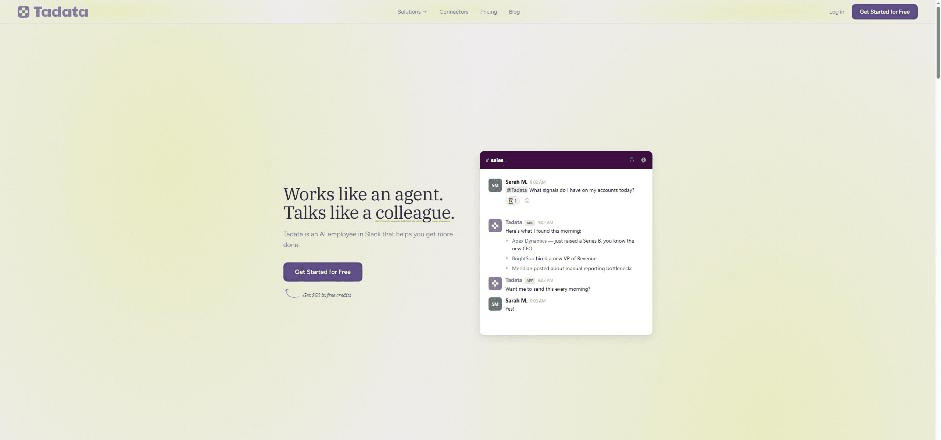
Tadata presents itself as an AI employee in Slack that surfaces sales signals and handles routine work. Earlier listings described it as a hosted MCP and connector platform for AI agents.
Based on the feature set we reviewed, these are the highlights of Tadata:
Pricing: Free: $0 (1,000 credits, one time). Lite: $39 per month (1,000 credits). Pro: $149 per month (4,000 credits). Scale: $299 per month (10,000 credits). Enterprise: custom. Plans and promotions change, so always confirm current numbers on the official site before you buy.
Strong points: Pricing is published on the vendor’s official site. Weigh this before you commit: The final cost depends on plan, seats and billing term, so check the official page before you buy; This review summarises public vendor information; we have not tested Tadata hands-on.
Before committing, it is worth comparing Tadata against a few other options in Productivity:
In our assessment, the main strength of Tadata is this: Pricing is published on the vendor’s official site. Its main drawback is this: The final cost depends on plan, seats and billing term, so check the official page before you buy. Weigh both against your own needs.
Tadata is currently presented as an AI teammate in Slack for sales and go-to-market work, with credits billed monthly. Older listings call it a hosted MCP platform, so check the current product on the site. Do not confuse it with Teradata, a different company.
Feedback is from third-party sites as of November 9, 2026, and some sources are unverified. Confirm pricing and terms on the official site before you buy.
Sources: G2, Product Hunt, HeyClaude
How much does Tadata cost?
Free: $0 (1,000 credits, one time). Lite: $39 per month (1,000 credits). Pro: $149 per month (4,000 credits). Scale: $299 per month (10,000 credits). Enterprise: custom. Prices change, so confirm on the official site before buying.
What are the main drawbacks of Tadata?
The final cost depends on plan, seats and billing term, so check the official page before you buy; This review summarises public vendor information; we have not tested Tadata hands-on.
What are the best alternatives to Tadata?
A few other Productivity tools worth putting side by side with Tadata: Pilim, Cal.com, and MyLens AI.
Tadata is not perfect, but few Productivity tools are. What it does well, it does consistently, which is why it holds a 4.3/5 in our book.
Based on Tadata’s official website and pricing page. Third-party figures are marked as reported.
AI Toolbox is a browser extension from Infi Developments that adds folders, full-text search, a prompt library and…
Paradev, formerly Superset, is a workspace for running many coding agents such as Claude Code and Codex in…
DeepCell turns your work and ideas into linked spreadsheets, reports and slides in one plain-text .deepcell file, with…
Customer Reviews
No reader reviews yet — be the first to share your experience.