✓ Script, audio and storyboard can be reviewed before paid generation
✓ Individual shots can be revised without redoing the whole video
✓ Clear plan prices of $48, $78 and $96 per 120 seconds
✓ Failed generations and automatic quality fixes are stated not to use seconds
✓ Voice-over and sound effects rated excellent, accurate and detailed for each on-screen action
Cons
✗ Paid generation is generally non-refundable once started
✗ Revisions use seconds, so real use can exceed the listed capacity
✗ No model choice because routing is automatic
✗ Our tests were four short clips, so picture quality may vary by prompt
Reviewed by the ToolReviewHub team · Pricing and features checked on Intellemo’s official website on November 19, 2026
Partly hands-on: On November 19, 2026 we generated three short test videos through the site owner’s Intellemo account, one each in Script to Video, URL to Video and Product to Video, and describe them in “Our Test Videos” below. We later made a fourth video, an animated Script to Video film, and documented every screen in a separate step-by-step tutorial. The site owner listened to every voice-over and sound effect and rated them excellent: the voice is clear and stable, and the sound matches each action on screen accurately and in detail. The rest of this review still comes from Intellemo’s own home page, pricing page and billing and refund policy, read on the same date. Confirm prices and limits before you pay.
Disclosure: the owner of this site is an Intellemo affiliate, and we may earn a commission if you sign up or buy through a link labelled “affiliate link” on this page. Those links carry our referral code and are marked sponsored and nofollow; the price you pay is the same. Other Intellemo links on this page are ordinary links without a referral code. See our affiliate disclosure for how we handle links on the rest of the site.
What Is Intellemo?
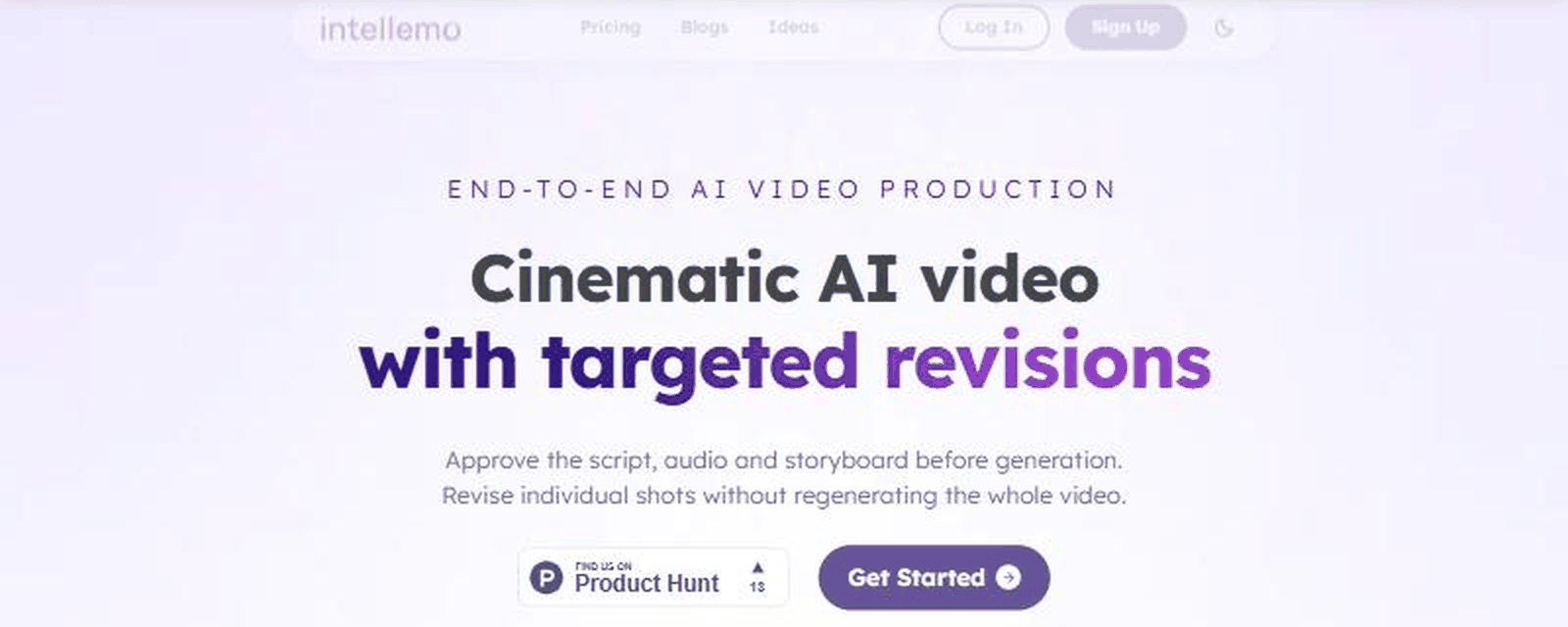
Intellemo is an AI video generator for brands, creators and marketers, operated by Intellemo Adtech Pvt. Ltd. You describe a product, a goal and an audience, or paste a script, and the service builds a script, a voice-over, a storyboard and then the video clips. Its headline promise is “cinematic AI video with targeted revisions”: you approve the script, audio and storyboard before any paid generation, and you can revise individual shots without regenerating the whole video.
The product pages describe use cases such as product ads, UGC-style videos, avatar videos, lip-sync videos, social reels and long-form storytelling, in 9:16 vertical and 16:9 widescreen formats. Intellemo says its AI agent chooses the underlying image and video models for each scene automatically, and names Kling, Veo and Wan on its home page, and Kling V3 or V4, Nano Banana 2.1 and Eleven v4 on its pricing page.
Our screenshot of Intellemo’s home page, captured November 19, 2026.
Our Test Videos: Three Short Clips Made in Intellemo
We made short test clips to see the workflow end to end, one in each of three modes: Script to Video, URL to Video and Product to Video. These are small tests, not a benchmark, and we judged the picture ourselves, and the site owner rated the voice and sound excellent, accurate and detailed for each action on screen.
Test 1: Script to Video, “Three Checks Before You Pay” (17 seconds)
Our test video made with Script to Video (17 seconds, 1080 by 1920, AI-generated). The invented pricing page on the laptop is part of the generated visuals.
Setup: portrait 9:16, a British English studio voice from the global voice list (Alexander Kensington), a prompt of about 1,000 characters with a 34-word narration.
First script: two scenes and eight shots, estimated at about 34 seconds although we asked for 15. We used Revise to ask for one scene, and the new script had four shots and an estimated 18 seconds. Revising the script did not use seconds.
Storyboard problems: the first images contained text that was not in our prompt: the end card said “START TODAY FOR FREE / No credit card required” and a document frame said “14-DAY MONEY BACK GUARANTEE”. Both would have been misleading in a video about reading pricing pages. We fixed them with frame revision notes before approving.
Result: a 17.2-second MP4. Intellemo showed a total time of 16 minutes 55 seconds for the whole session, which includes our review pauses. It displayed its own quality score of 9/10 for the clips, which is Intellemo’s score, not ours.
Test 2: URL to Video, “Intellemo pricing in 15 seconds” (19 seconds)
Our test video made with URL to Video (19 seconds, 1080 by 1920, AI-generated). The video quotes per-second rates that we worked out ourselves, so rely on the plan prices listed in this review, and the closing words and automatic captions were produced by Intellemo.
Setup: we entered the URL of this review page, let Intellemo fetch its images, kept only the Intellemo logo, and supplied the facts we wanted in the prompt. After we added the logo the URL field was empty again, so we cannot say how much of the page text Intellemo used.
Storyboard problems: the first images invented plan cards called “Free $0”, “Pro $15/mo” and “Team $45”, then after Intellemo’s automatic patching “Free”, “Creator $75” and “Pro $199”. The stop sign said “RESTRICTED AREA AUTHORIZED PERSONNEL ONLY” and later “WARNING Please read instructions”, and the end card said “TRANSFORM YOUR WORKFLOW, GET STARTED AT io.com” and later “GET STARTED TODAY”. Automatic patching did not fix these. Explicit notes on each frame did.
Result: a 19.2-second MP4 with the three real plan names and prices.
Test 3: Product to Video, “The AI Tool Checklist” (20 seconds)
Our test video made with Product to Video (20 seconds, 1080 by 1920, AI-generated). The checklist is a one-page design we drew ourselves, not a real product.
Setup: we uploaded four images of a checklist we designed (flat, tilted and two close-ups) and added two of them as product references.
Script problems: the first script was 22 seconds and left out the opening sentence of the narration. One revision request was skipped by the system (“Scene rewrite skipped”), and another removed part of the narration, so we finally edited the narration line by hand.
Storyboard problems: the close-up frame rewrote our checklist with invented rows such as “Extra charges” and “Hidden”. A frame note restored the original wording.
Result: a 20.2-second MP4. In the sampled frames the checklist text matched our design, although small text near the moving pen was distorted in motion.
What the three tests showed
Voice and sound were the strongest part. The site owner, who listened to all the finished videos, rated the voice-over and sound effects excellent. The narration was clear and consistent from start to finish, and the sound followed each action on screen accurately and in detail. This is a listener’s assessment, not a measured audio test.
Check every frame before you approve. In each of our stories the first storyboard contained wrong or invented on-screen text, including fake prices and a fake guarantee. Fixing it was possible and the corrections did not use seconds, but it took several rounds.
Revisions are not always obeyed. Script revisions sometimes changed less or more than we asked, and editing the narration directly worked best.
Cost matched the video length. Generation seconds were used only after we approved the storyboard and started the clips. The planning stages (script, audio, storyboard and frame revisions) did not use seconds. Plan prices are in the pricing section below.
Speed. Each finished video took roughly 17 to 35 minutes of wall-clock time including our review and several rounds of corrections.
Output. Each result was a 1080 by 1920 MP4 of about 4 to 5 MB, and Intellemo added word-highlight captions to the frames we sampled, which we did not ask for.
What we did not evaluate: how the videos perform with real viewers.
Step-by-Step Tutorial and Our Fourth Test Video
After the three tests above we made a fourth film, a polished 3D cartoon explainer, and recorded every screen from prompt to download. It came out at 26 seconds, 1080 by 1920, with eight shots and burned-in captions. The full walkthrough, with screenshots, timings and costs, is in How to Make an Animated Video in Intellemo.
Test 4: Script to Video, “Five Steps to a Finished Video” (26 seconds, 1080 by 1920, AI-generated). The characters are generated, not real people.
Want to try Intellemo yourself? Here is our referral link: Intellemo (affiliate link). We may earn a commission if you sign up through it, and it does not change your price.
Watch Intellemo’s Own Tutorial
If you want to see the product before paying, Intellemo publishes a step-by-step tutorial on YouTube that walks through creating a cinematic video in its workflow.
Script and strategy: tell it your product, goal and audience.
Voice and tone: choose voice, tone and pacing.
Visual storyboard: the service plans scenes that connect.
Revise: change the script, audio or frames as needed.
Create and approve: generate clips, then review and approve them.
Finalize and deliver: polish and export.
You can also set “elements” in advance: a character, a product and a visual style. Intellemo says it reuses these references across scenes to keep characters, products and style consistent. The home page’s example shows the script, audio, frames and render stages each costing $0 and only the video clips costing money ($8 in the example). That matches the pricing page’s claim of unlimited storyboard images, voice-overs and audio revisions inside the workflow, but it is the company’s own demo, not something we ran.
Intellemo Pricing 2026
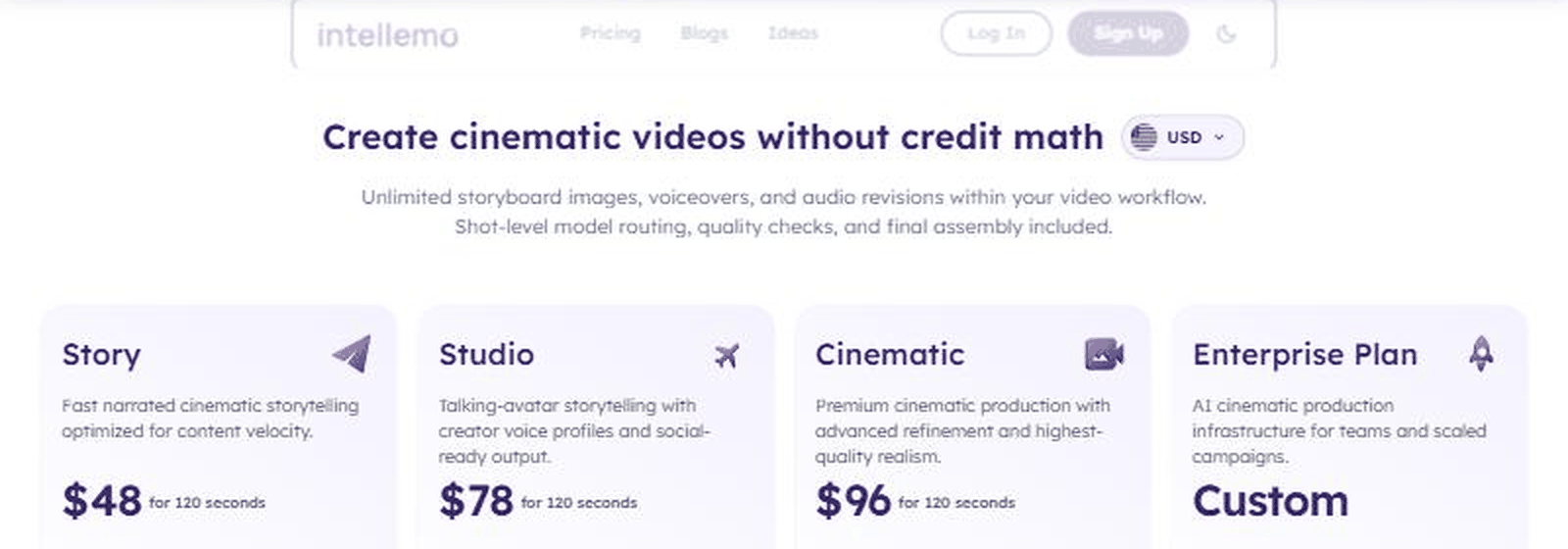
Intellemo sells generation capacity in seconds, not a monthly seat. Each plan on the pricing page shows 120 seconds, “up to 8 videos of 15s”, HD export, a storyboard editor, validity of 30 days and rollover on renewal. The plans differ in what is allowed on screen:
Story, $48 for 120 seconds: narrated storytelling, voice-over only with no characters speaking on screen. Uses Kling V3 and other models.
Studio, $78 for 120 seconds: talking-avatar storytelling, where one person appears and speaks directly to the camera (presenter lip-sync), UGC-style videos and brand storytelling.
Cinematic, $96 for 120 seconds (another view of the page showed $48 for 60 seconds): conversational lip-sync with several people in a shot, advanced facial expressions, cinematic camera movements and Kling V4.
Enterprise, custom: flexible generation time, 4K or custom export, collaboration workflows, custom pipelines, brand consistency, bulk rendering, moderation controls, ad account integrations and dedicated support.
Our screenshot of Intellemo’s pricing page, captured November 19, 2026: Story $48, Studio $78 and Cinematic $96 for 120 seconds, plus a custom Enterprise Plan.
What each plan includes
Story costs $48, Studio $78 and Cinematic $96, each listed with 120 seconds of generation capacity. The plans differ in what they allow on screen (narration only, one presenter, or conversations), not in the listed capacity.
When we read the page, the Cinematic card showed $96 for 120 seconds; another view of the same page that we were shown displayed it as $48 for 60 seconds with up to four 15-second videos. Confirm the capacity and price at checkout. Intellemo’s FAQ says longer videos “use proportionally more capacity based on duration and complexity”, and that requested video revisions also use seconds. The home page adds that seconds “are not a guarantee of a fixed number of finished ads”. If you expect to revise shots, budget more than the listed capacity.
Both pages we visited also showed a banner offering a discount on a first purchase with a countdown timer. The timer read about 48 hours on two page loads a few minutes apart, which suggests it restarts on each visit, although we did not test that further. Check the current checkout price before you pay.
What the Billing Rules Say
This is the section to read before you spend money. Intellemo’s billing, cancellation, refund and usage policy, last updated April 1, 2026, says:
Some workflow stages may be free, such as script drafts, story ideas, storyboard drafts and limited previews, but free features “may be changed, limited, paused, withdrawn, or made paid at any time”.
Paid usage can begin when you approve a storyboard and request paid generation, generate or regenerate a scene, request final rendering or export, or consume AI-rendered seconds.
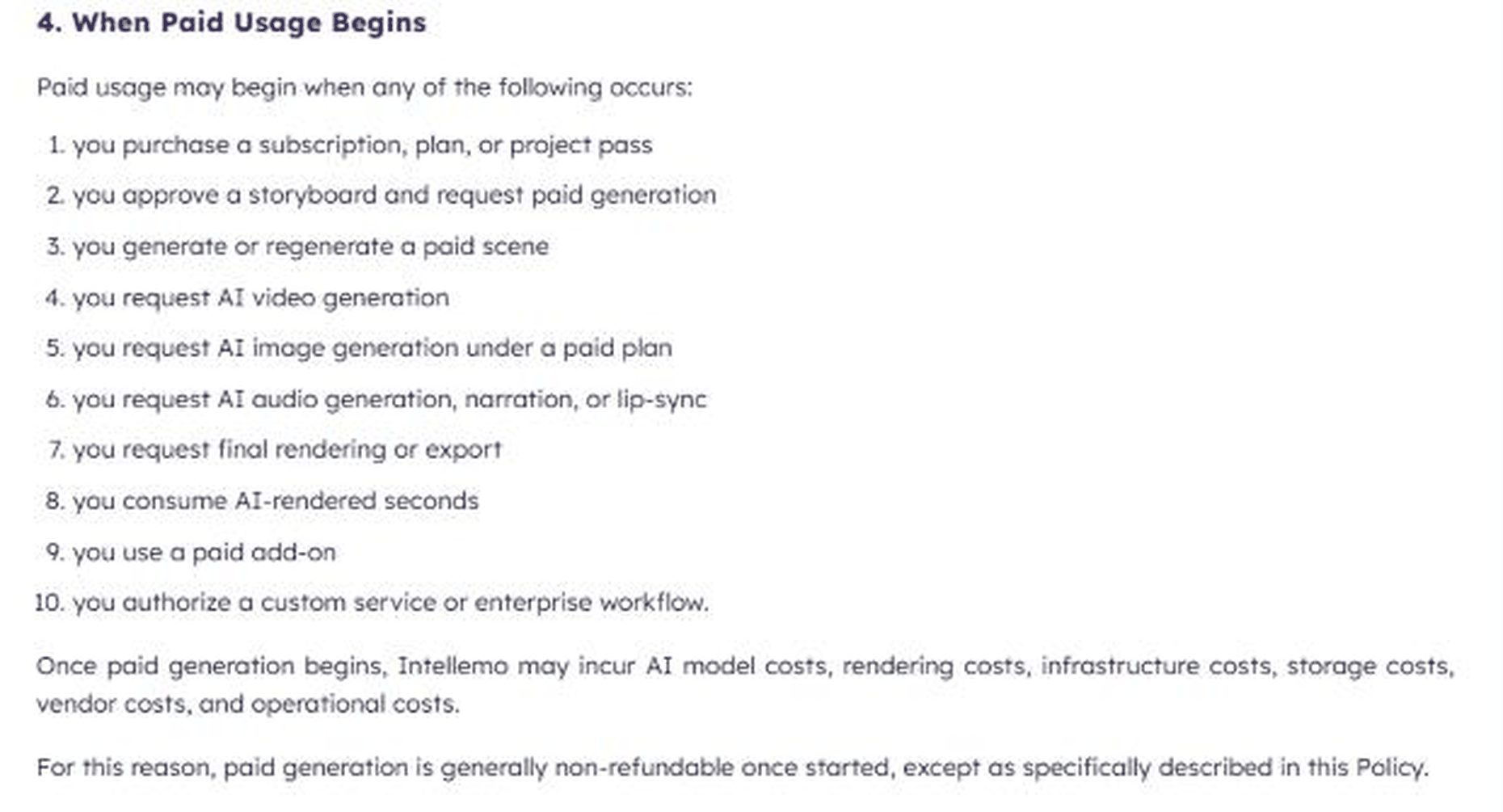
Paid generation is “generally non-refundable once started”, because it incurs model and rendering costs.
Usage may be deducted for regenerated scenes if you ask for regeneration for creative-preference reasons, and is not restored just because you dislike the result.
Refunds, re-credits or adjustments are possible for duplicate or wrong charges, failed payments with no service delivered, and confirmed platform-side technical failures.
The FAQ is more reassuring on one point: failed generations and automatic quality fixes do not use seconds, and uploaded footage and stock clips do not count towards usage. The company also says it estimates cost before generation so there are no surprises.
Our screenshot of Intellemo’s policy, captured November 19, 2026: “paid generation is generally non-refundable once started”.
Two details that do not line up neatly
Rollover. The pricing page lists “rollover on renewal” for each plan, while the policy says that, unless otherwise stated, unused subscription usage does not roll over and project-pass allowance expires. The policy does say “unless otherwise stated”, so the plan page probably governs, but check the checkout screen.
“Without credit math.” The pricing page promises videos without credit math and Intellemo’s comparison table labels other tools “credit based”. Its own unit, seconds of generation capacity that are consumed by generations and revisions, works like a credit in practice. That is not necessarily bad, but it means the real cost depends on how much you regenerate.
Key Features
Approval gates: script, audio and storyboard are reviewed before clips are generated.
Shot-level revisions: change individual shots instead of regenerating everything.
Element references: reuse a character, product and visual style across scenes.
Automatic model routing: Intellemo picks the generation model per scene and runs automatic quality checks, and you cannot choose the model yourself.
Lip-sync tiers: none on Story, one presenter on Studio, multiple people on Cinematic.
Unlimited images and audio inside the workflow: Intellemo says images, voice-overs and audio revisions are not metered.
Formats: 9:16 and 16:9, HD export on the self-serve plans.
Is Intellemo Safe? Limits to Know
We tested only three short clips (see “Our Test Videos” above), so most of this section is about what the company says, not what we saw. Quality is the main open question: Intellemo claims automatic re-rendering of scenes with major glitches, consistent characters across scenes and generation “within minutes” for most short videos. We have not verified any of these claims. It also compares itself with tools such as HeyGen, Arcads and MakeUGC and says they apply lip-sync to pre-rendered avatars while Intellemo generates scenes dynamically. That is a marketing claim about competitors that we did not check.
Other limits: you cannot pick the model, the capacity is valid for 30 days, and generated output is subject to Intellemo’s terms. If you plan to publish AI-generated video as advertising, check the rules of the ad platform and any local disclosure requirements for AI-generated content.
Who Is Intellemo For?
Marketers and founders who want short product or explainer videos without editing skills.
Creators who produce narrated or story-style reels and shorts.
Small teams that want to approve a script and storyboard before paying for video generation.
Agencies testing ad concepts, who may later need the Enterprise features.
Who Should Skip Intellemo?
Anyone who wants to choose or compare models directly, because Intellemo routes automatically.
Anyone who needs a guaranteed refund after generating, given the “generally non-refundable” rule.
People who need long-form, 4K, high-volume output on a fixed budget; 4K and custom export are on the Enterprise plan.
Buyers who need independent quality evidence first, since we could not provide any.
How to Get Started
Start with the cheapest plan that matches what you need on screen: Story if narration is enough, Studio if you need one presenter, Cinematic for conversations.
Write a short script, set your character, product and style elements and approve the storyboard before generating.
Read the estimated cost shown before you confirm clip generation, and note how many seconds a revision will use.
Make one 15-second test video first. Check character consistency, lip-sync, audio and export quality before you use the remaining capacity.
Check the 30-day validity and decide how many videos you can finish in that window.
Script, audio and storyboard can be reviewed before paid generation
Individual shots can be revised without redoing the whole video
Clear plan prices and a stated per-plan capacity of 120 seconds
Failed generations and automatic quality fixes are stated not to use seconds
Lip-sync tiers from narration only to multi-person scenes
Cons
Paid generation is generally non-refundable once started
Revisions and regenerations use seconds, so real use can exceed the listed capacity
No model choice, because routing is automatic
Rollover wording differs between the pricing page and the policy
We tested only three short clips, so output quality, consistency and speed are not established
Intellemo FAQ
How much does Intellemo cost?
The pricing page lists Story at $48, Studio at $78 and Cinematic at $96, each for 120 seconds of generation capacity, plus custom Enterprise pricing.
Is there a free plan?
The pricing page lists no free plan. The policy says some workflow stages, such as script drafts and storyboard drafts, may be free or limited and can change at any time.
Can I get a refund?
Paid generation is “generally non-refundable once started”. The policy allows refunds or adjustments for duplicate or wrong charges, failed payments with no service delivered and confirmed platform-side failures.
Which AI models does Intellemo use?
Intellemo names Kling, Veo and Wan on its home page and Kling V3 or V4, Nano Banana 2.1 and Eleven v4 on its pricing page, and routes scenes automatically.
Does it support vertical video?
Yes. The FAQ lists 9:16 vertical and 16:9 widescreen formats.
Final Verdict
Intellemo is worth a look if you want AI marketing or story videos and value a workflow that lets you approve the script, audio and storyboard before paying for clips. The voice-over and sound effects were the standout in our tests: excellent, accurate and detailed for each action on screen. The plan prices are easy to read, which makes a first budget simple. The risks are the ones to weigh before buying: paid generation is generally non-refundable, revisions use capacity, and our short tests are too few to judge picture quality across every use. Start with one short test on the cheapest suitable plan before committing the full 120 seconds. You can try it through our Intellemo (affiliate link).
Customer Reviews
No reader reviews yet — be the first to share your experience.